Programmable Creative Memory
Find ideas, not filenames.
The system for your DAW sessions, built for search, recall, and workflow.
Search across projects, notes, metadata, artwork, and previews fast enough to reopen the right direction before momentum drops.
Built above every DAW. Local-first. Ready for automation.
SessionDock preserves context, restores unfinished ideas instantly, and gives scripts, shortcuts, and automations a real system to work against.
Search it. Trigger it. Automate it.
- Jump back into the right session before the idea goes cold.
- Switch tools without resetting the work.
- Run scripts and automation directly against your music library in real time.
SessionDock gives you the full desktop core for free. Pro expands the same system with denser navigation, batch workflows, deeper automation, and broader cross-device reach.
macOS, Windows, iPhone, iPad, and Apple TV today · Android rolling out · Sync via iCloud or Dropbox
Top 30 on the Mac App Store
Driven entirely by producer word of mouth.
Organic growth
Word-of-mouth adoption from real producers, engineers, and daily creative workflows.
Press coverage
Featured by CDM, MusicRadar, MusicTech, and Gearnews.
Multi-platform
macOS, Windows, iPhone, iPad, and Apple TV today.
API and Automation
A programmable system, not a closed app
SessionDock turns your music library into infrastructure. Scripts, launchers, dashboards, and automations can search sessions, review metadata, trigger focus, automate imports, and operate on the same library you use in the desktop app.
Search it. Trigger it. Automate it.
Your DAW sessions are no longer files. They are endpoints. Anything that can call an API can now interact with your music library.
Your library is no longer trapped inside folders or a single interface. It becomes an addressable system you can build on, extend, and control.
Addressable library
Sessions, previews, notes, metadata, and actions are available to scripts and tools through the Local API.
Automation modes
Run safe read-only workflows or enable full automation when you want external tools to write back into the system.
Workflow-ready
Scripts, launchers, and automations can search, review, organize, and trigger the same library your desktop workflow depends on.
Built for local trust
The API runs on localhost, close to your files, your sessions, and the machine where the work actually happens.
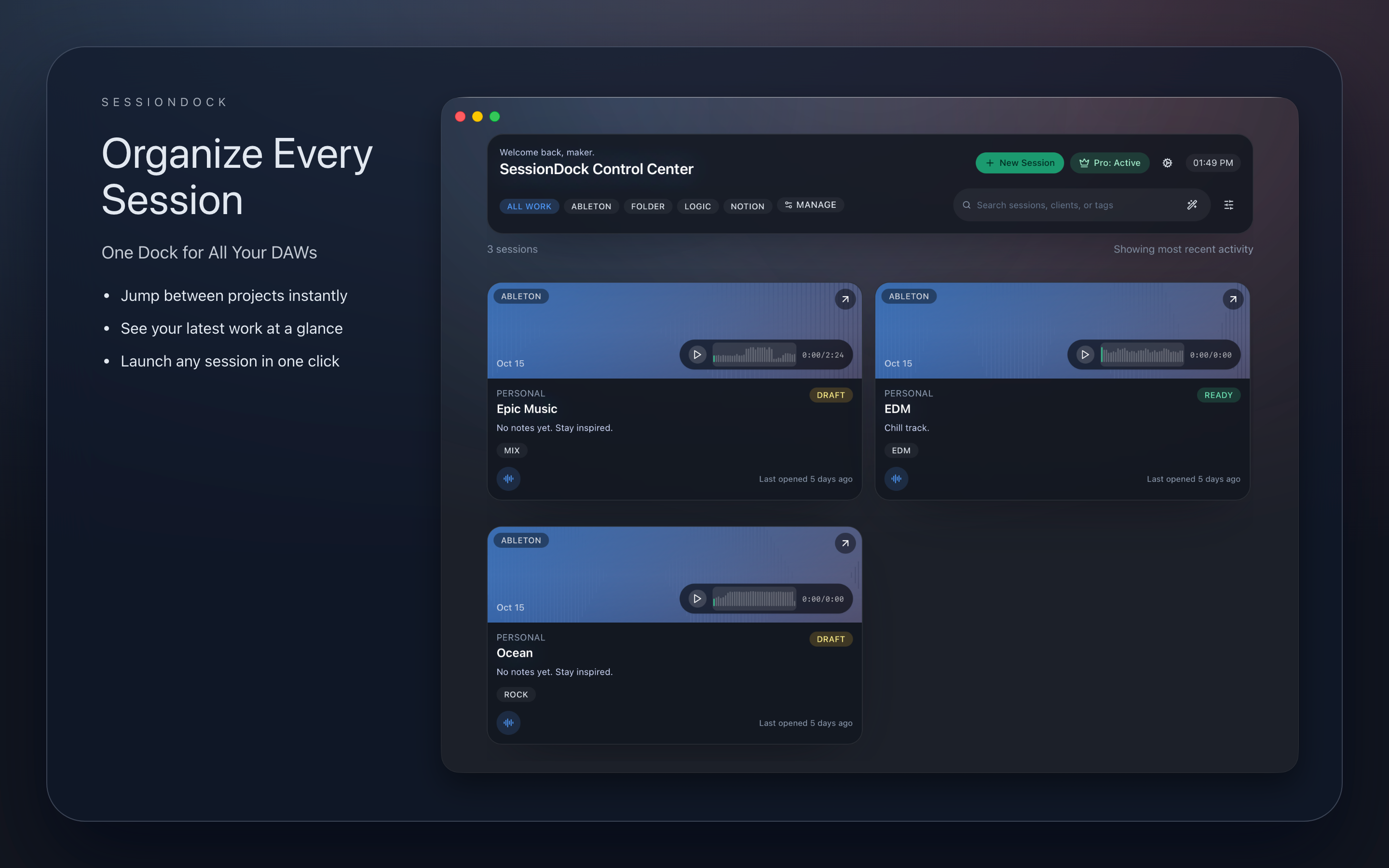
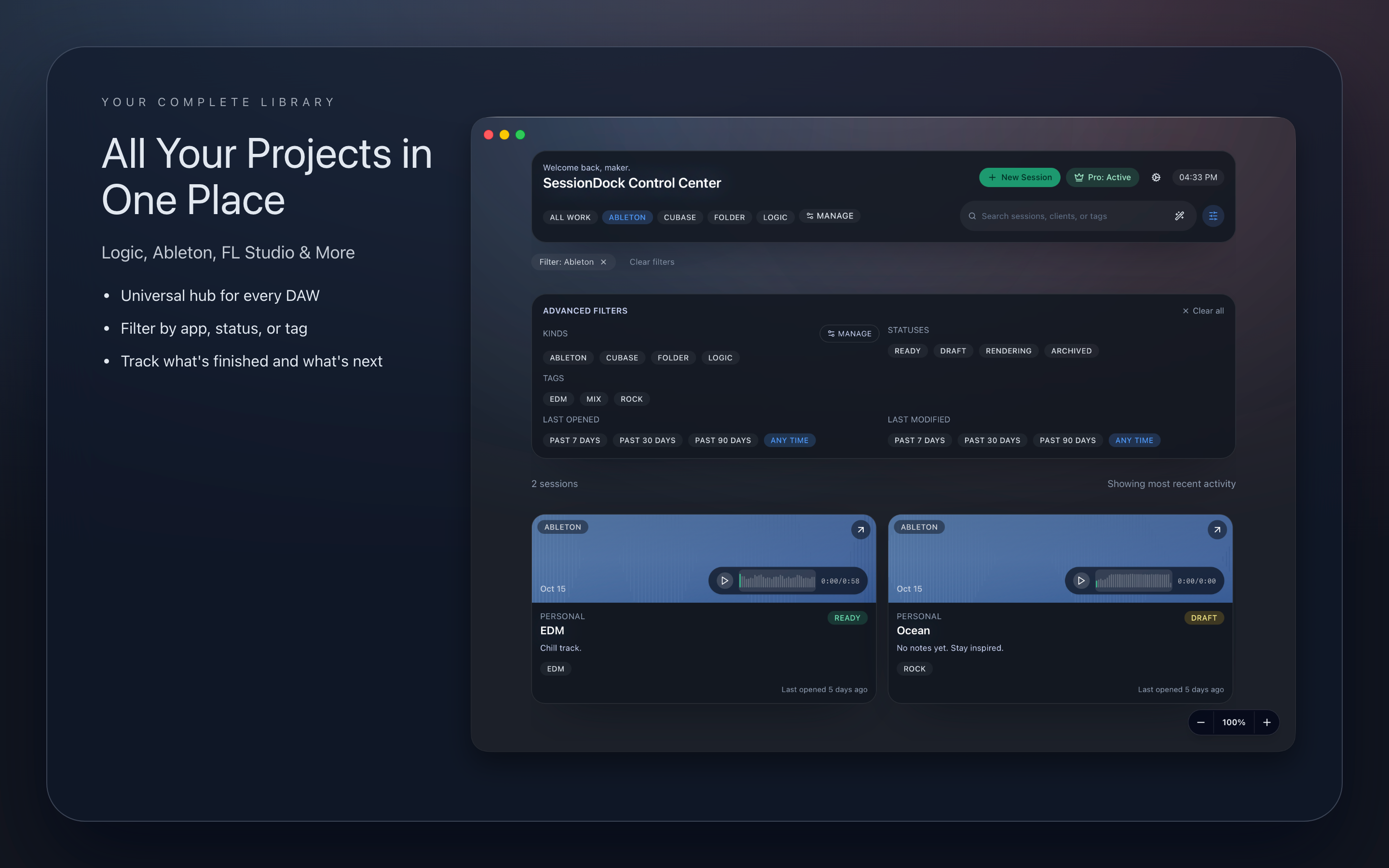
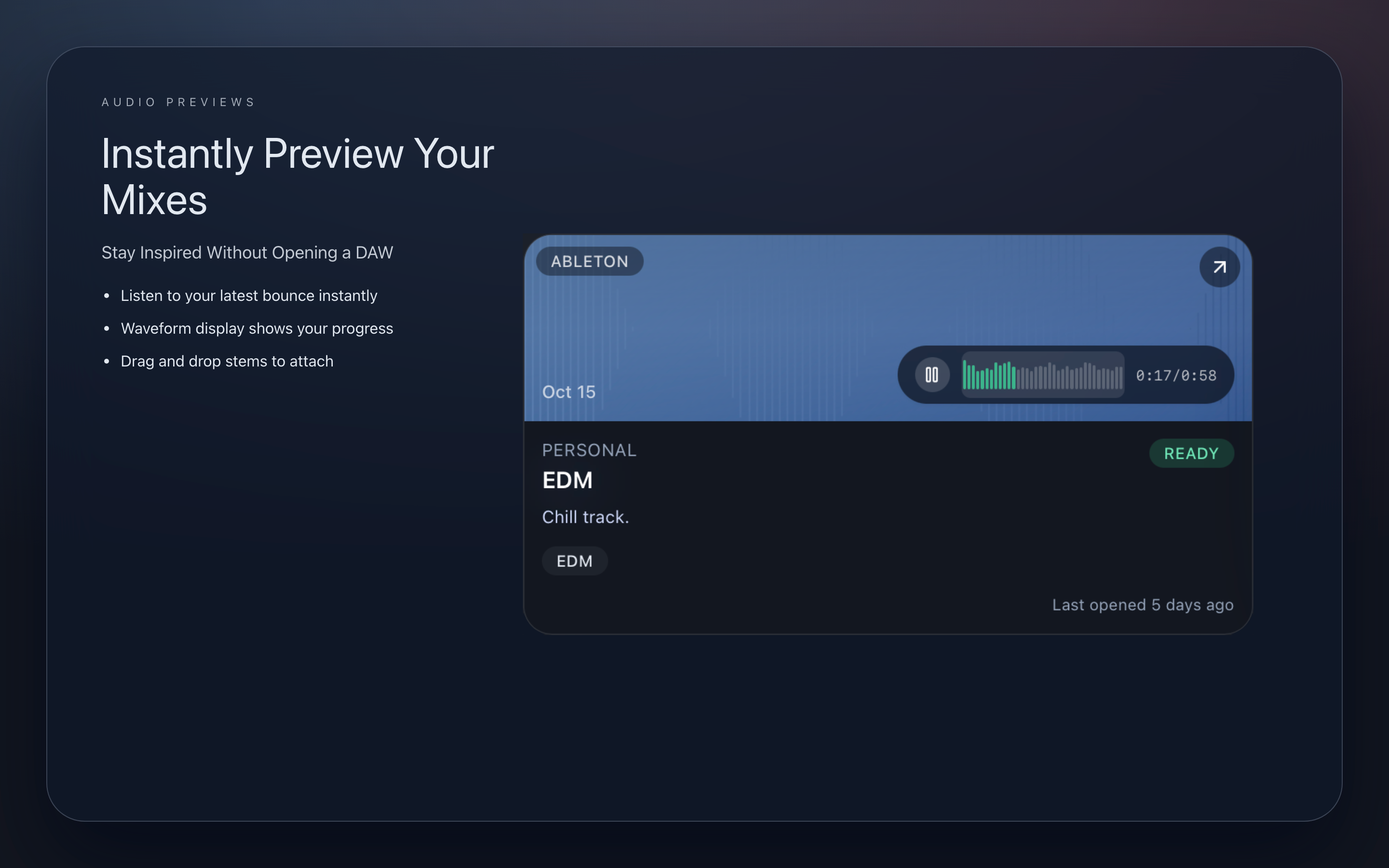
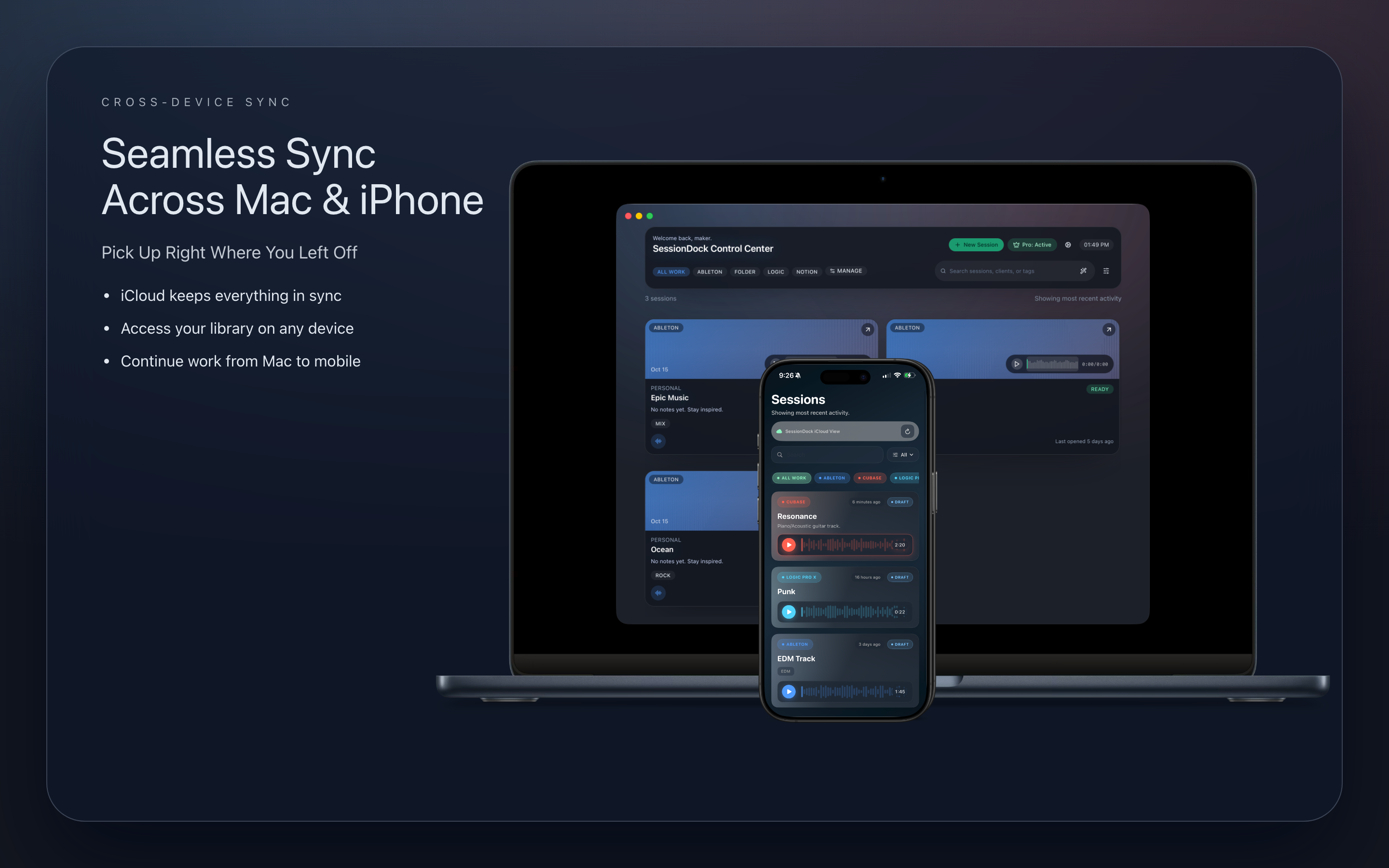
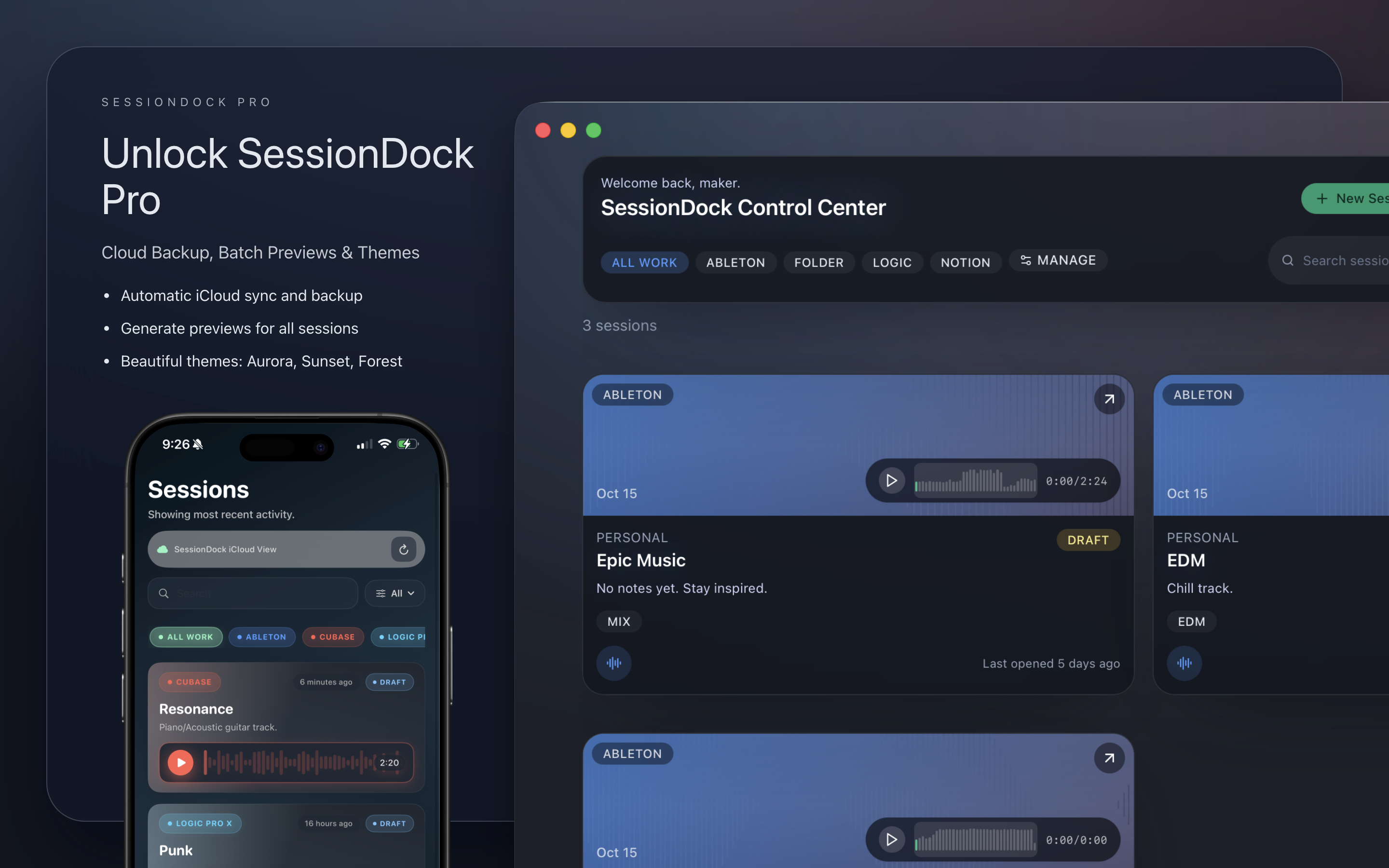
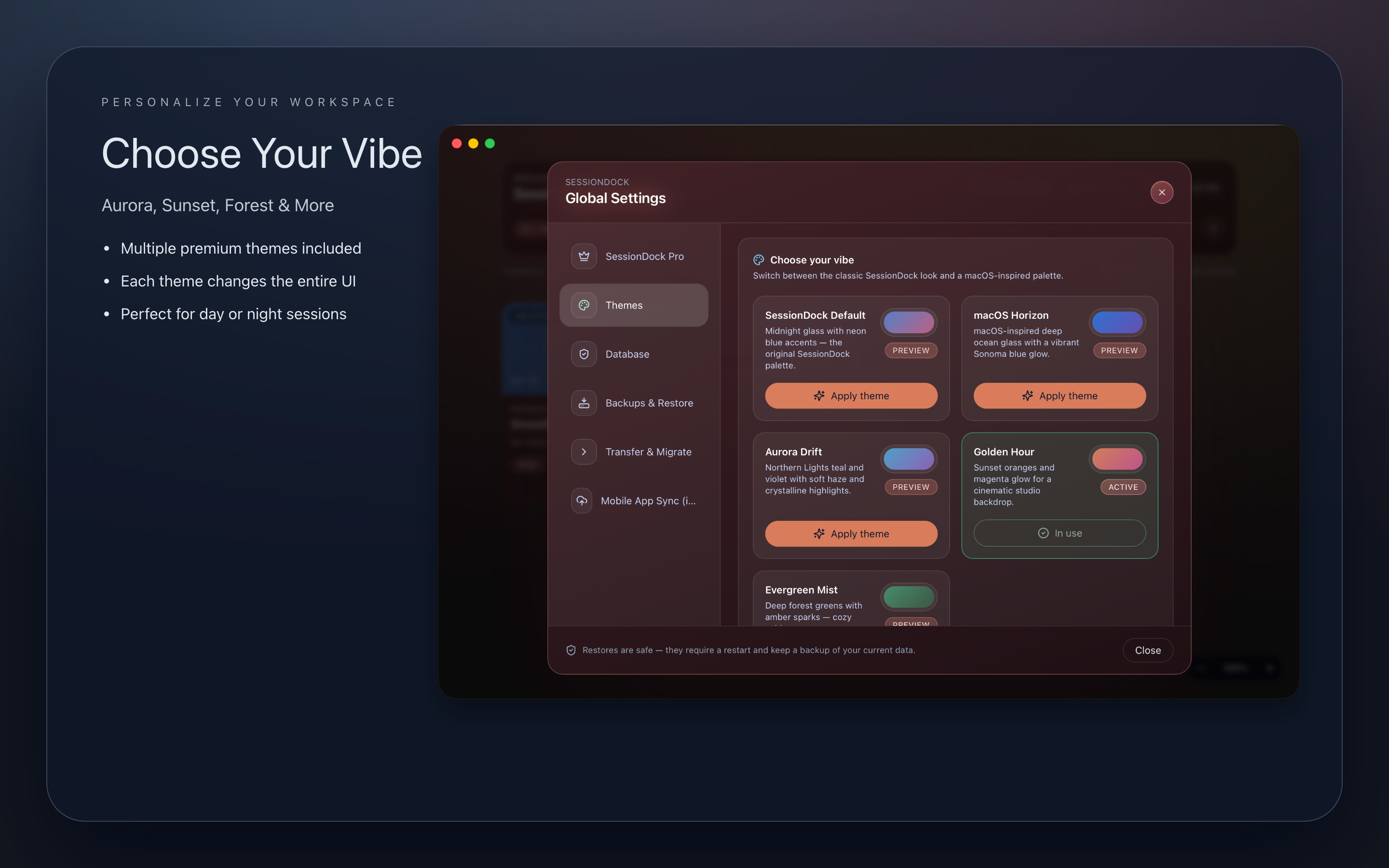
Explore SessionDock across desktop and iOS.
High-resolution product captures that highlight fast browsing, live waveform previews, and creative recall across devices.
Desktop control center for ideas, previews, notes, and automation.
Shipping Momentum
What is live, what is rolling out, and what that unlocks next
SessionDock is shipping as a widening system layer above the DAW stack. The current build already covers recall, navigation, playback, sync, automation, and cross-device review. The next releases extend reach, not direction.
Live in 1.3
Shipping now
Version 1.3 expands leverage across large catalogs: denser control, faster intake, stronger release planning, and tighter performance across the system.
- Pro Mode Window: High-density navigation with multi-select editing and batch commands
- Batch Import: Automatic preview detection with confidence-based matching
- Project Scheduling & Release Queue: Keep the production pipeline moving without external trackers
- Faster scanning, smoother UI, and stronger repair diagnostics across large libraries
- Desktop coverage on macOS and Windows, plus iPhone, iPad, Apple TV, CarPlay, iCloud, and Dropbox sync
- Preview playback, bulk relinking, shareable exports, and richer metadata already in the system
Expanding now
System expansion
SessionDock is extending the same creative memory system across more devices and tighter cross-platform surfaces right now.
- Android companion access for fast reference and playback beyond the Apple stack
- Cross-platform polish that tightens review, recall, and playback across every surface
Expanding next
Next system layer
The next layer extends the same catalog into remote access surfaces so recall and navigation stay available beyond the desktop.
- Web viewer that turns the catalog into a remote browsing surface
- More companion-device workflows built on the same creative memory layer
Track the rollout
Release notes, product updates, and workflow ideas delivered when the system expands.
SubscribeWatch real usage
Follow product updates, producer workflows, and community proof as the system keeps expanding.
Follow SessionDockAuthority Signals
Editors are describing the same category shift producers are feeling
SessionDock in the press
Create Digital Music
Covered as a serious workflow layer for producers who need faster recall, stronger navigation, and less friction between ideas.
MusicRadar
Featured for solving the producer bottleneck directly: too many unfinished ideas, forgotten bounces, and no instant route back into the right track.
MusicTech
Highlighted SessionDock’s ability to unify multiple DAWs with fast previews, preserved context, and a visual creative memory layer.
Gearnews
Covered SessionDock as a modern production layer where recall, exploration, and momentum matter more than raw storage.
Watch SessionDock in action
Demo video
Watch how SessionDock turns scattered sketches into a searchable, programmable system with previews, notes, and instant recall built in.
Producer traction is already visible
Since launch, SessionDock has spread through word of mouth from producers and engineers who need a faster way back into unfinished work. The pattern is consistent: better recall, less friction, and a system that makes sessions usable again. That momentum pushed SessionDock into the Top 30 on the Mac App Store, driven entirely by producer word of mouth.
What's New
Version 1.3 increases control across large catalogs with denser navigation, faster import, stronger planning, and a tighter automation loop.
Pro Mode Window
High-density navigation, multi-select editing, and batch commands for producers managing large active libraries.
Batch Import
Pull large sets of tracks into SessionDock with automatic preview detection and confidence-based matching.
Performance Boost
Faster scanning, smoother UI interactions, and a tighter feedback loop across every supported platform.
One System, Three Layers
SessionDock sits above your DAWs and keeps the entire creative process addressable
This is not session storage with better labels. It is a creative memory layer that preserves context, exposes your catalog to search and automation, and keeps unfinished work moving.
Each layer does a different job, but they operate as one system: memory for recall, exploration for navigation, and evolution for control.
Free is unlimited on desktop. Pro expands the same system with denser navigation, batch actions, advanced planning, and deeper automation.
What changes in practice
- You stop losing ideas to folders, filenames, and context switching.
- You can reopen the right direction before creative momentum drops.
- You can script, automate, and scale the workflow around your catalog.
Creative Memory
The memory layer that keeps every sketch, bounce, note, and decision instantly recoverable.
- Recall any idea before it disappears
- Search across DAWs, notes, tags, artwork, and previews fast enough to pull a forgotten sketch back into the session.
- Keep context attached to the track
- Keep context attached to every idea so switching tools never resets the work.
Exploration
The navigation layer that lets you move through a catalog of ideas at production speed.
- Navigate the library, not the folder tree
- Move through sessions, previews, and filters in seconds instead of digging through filenames.
- Hear direction before reopening the DAW
- Preview bounces, compare options, and surface the right branch without breaking momentum.
Evolution
The control layer that tracks movement across versions, next steps, and programmable workflows.
- Track what changed and what is next
- Recent changes, statuses, scheduling, and companion views keep every track pointed at the next decision.
- Program the system around your library
- Batch tools, automation, and scripts can operate on the same creative memory you use every day.
Built for serious daily use
- Producers moving between multiple DAWs and large catalogs of unfinished tracks.
- Writers building catalogs of sketches, demos, release candidates, and archived ideas.
- Engineers who need instant playback, notes, and decision history around each track.
- Technical creatives who expect studio workflow to be programmable, not locked in a UI.
- Anyone tired of watching their best ideas disappear into folders and forgotten exports.
Pricing
Start with the full desktop core for free. Upgrade when you want more control over large libraries, automation, and cross-device reach.
Built for producers managing real catalogs, not a handful of projects.
Free (Desktop): Unlimited creative memory core
- Unlimited desktop sessions and ideas
- All core SessionDock features
- Add notes and tags
- Instantly preview mixdowns
- Sync up to 4 sessions with iPhone/iPad (iCloud or Dropbox)
- Default “Studio Dark” theme
- No account or subscription required
SessionDock Pro: More control, more automation, more surface area
- High-density navigator for large catalogs of work
- Multi-select & batch actions
- Batch import projects & previews with confidence-based matching
- Project scheduling & release queue
- Advanced filters & saved views
- Keyboard-driven workflows
- Inspector panel & pro tools
- Export client packages with rich metadata
- Unlimited mobile sync (iCloud or Dropbox)
- Database backup and restore utility
- Custom themes (Aurora, Forest, Sunset + more)
- Priority updates and support
- One-time Lifetime Unlock or Monthly Plan, your choice
Best for larger catalogs, heavier recall demands, and producers who want the system working across every screen.
Platform & Terms
Available on macOS, Windows, iPhone, iPad, and Apple TV, with Android rolling out. For more details about SessionDock Pro:
Download SessionDock
Current Version: v0.1.356
Every build connects to the same creative memory layer. Direct desktop releases ship immediately; Apple platform updates follow App Store review.
System Requirements: macOS 12 or later · Windows 10 or later · iOS 18 or later · Apple TV companion available on the Apple TV App Store
macOS Pro Studio (DMG)
Full filesystem access · Local API and automation · Direct in-app updates · Built for NAS/SMB and external-drive workflows
Mac App Store
Sandboxed · Updates via App Store · Best for simple local setups
Apple TV
Available now on the Apple TV App Store for studio-display browsing and mix preview playback
Windows
Standard installer · In-app updates · Supports Windows 10+
Frequently asked questions
Quick answers
Quick answers about syncing, licensing, and how the SessionDock system slots into your studio.
Core how-to
Tap to expandWhat is SessionDock?+
SessionDock turns your DAW sessions into something you can search, recall, and build on. It sits above your DAWs so you can move through tracks, notes, previews, and metadata like a system instead of a folder tree.
Which platforms does SessionDock support?+
SessionDock is available on macOS, Windows, iPhone, iPad, and Apple TV. Ideas, notes, and previews sync through iCloud or Dropbox, CarPlay is available today, and the Android companion app is rolling out.
Do I need an account to use SessionDock?+
No account or subscription is required. SessionDock Free is unlimited on desktop. Upgrade to SessionDock Pro when you want unlimited mobile sync, advanced database backup and restore tools, and custom themes.
How do I add custom DAWs (like Reason, Bitwig, or Reaper)?+
Click Manage, choose Add a Kind, select a color, and SessionDock recognizes any DAW file type, even if it isn’t listed in the presets.
How do I see the Waveform Notes feature?+
Waveform Notes appear once you link a preview audio file such as a .wav or .mp3. Add the preview in the project drawer and the Waveform Notes button appears automatically.
Can I use SessionDock for collaboration?+
SessionDock is designed around one producer’s working memory right now. Shared folders through iCloud or Dropbox might work, but macOS permissions can’t transfer between Apple IDs, so collaborators may still need to reconnect files on their own machines.
Sync and cloud storage
Tap to expandHow does SessionDock sync my sessions?+
SessionDock can use iCloud Drive or Dropbox to keep your ideas, notes, and previews aligned across devices. Once you pick a service in Settings, SessionDock updates the metadata while your cloud provider moves the files. Dropbox tends to propagate changes instantly, while iCloud may take a few extra moments to finish uploads.
How do the Mac and iPhone apps work together?+
The Mac app is where you shape ideas, attach previews, capture notes, and automate your workflow. iPhone and iPad act as read-only companions for fast reference and playback on the go, and Apple TV gives you a lean-back way to review the same synced creative memory on a larger screen.
Why isn’t my iPhone showing my new sessions?+
Your iPhone waits for your cloud provider to finish uploading and downloading before new sessions appear. If you use iCloud Drive, watch for "pending changes" and open Settings → Mobile Sync → Advanced → Trigger Manual Sync to nudge it. Dropbox users can open the Dropbox app to confirm the sync queue, then tap Trigger Manual Sync if anything is still catching up.
Can I work offline?+
Absolutely. SessionDock remembers your changes while you’re offline and pushes them to your chosen cloud service the next time you have a connection—without overwriting newer edits.
Where are my files stored?+
Your original sessions stay right where you saved them—SessionDock never moves those files. We keep a small local database and optional audio previews in your Application Support folder. If you enable cloud sync, SessionDock copies that database and your audio previews to your chosen cloud provider (iCloud or Dropbox) so other devices can access them.
SessionDock says ‘operation not permitted’ — what does that mean?+
This warning almost always pops up when iCloud temporarily offloads a project to save space. Re-download the files in Finder, then open Settings → Mobile Sync → Advanced → Trigger Manual Sync so SessionDock can rescan and upload the latest metadata. Dropbox rarely offloads files, but make sure Smart Sync hasn’t marked the folder as online-only.
Why do I see ‘pending changes’ in iCloud Drive?+
Those messages come from iCloud Drive while it finishes syncing. Let iCloud complete the upload or download—SessionDock refreshes the database automatically as soon as iCloud reports everything is up to date. Dropbox syncs don’t expose this exact status, so if you’re using Dropbox you usually won’t see the delay.
Why does SessionDock ask me to reconnect files sometimes?+
SessionDock uses macOS security bookmarks to remember which folders you approved. If macOS thinks a project moved or changed — maybe you renamed it, unplugged a drive, or iCloud briefly offloaded it — it marks that bookmark as stale. SessionDock usually refreshes the link automatically, and if it can’t you’ll see a quick Reconnect prompt. Your sessions stay exactly where you left them; we’re just renewing permission to read them.
Features and behavior
Tap to expandWhy is the iPhone version read-only?+
The goal is to keep your project data safe and consistent. By keeping editing on the desktop, SessionDock ensures nothing accidentally changes while you’re reviewing sessions from your phone.
Can I link any file type?+
Yes — SessionDock accepts every file and folder you attach to a project. If the DAW isn’t recognized, the file still opens in the default app you have set on macOS.
How does manual sync work?+
Manual sync forces a fresh scan of your SessionDock database and re-uploads the latest session metadata when iCloud or Dropbox lags. Use it when you need to push changes immediately or if another device is slow to refresh.
How does SessionDock protect my data?+
SessionDock never modifies your original DAW session files or project folders. The app uses lightweight references and security bookmarks to reliably reopen projects. If you choose to link preview audio, SessionDock may copy those preview files and its own metadata locally and into optional cloud sync (iCloud or Dropbox). Your original sessions always remain exactly where you created them, untouched and unchanged.
Pricing
Tap to expandHow does pricing work for the App Store and DMG versions?+
SessionDock is available through the Apple App Store and as a standalone DMG build. App Store: Apple automatically adjusts pricing based on your country's currency, VAT, and regional tax rules. The App Store checkout always shows the correct local price for SessionDock Pro. DMG Version: The DMG build uses a fixed, one-time lifetime license price shown at checkout. There are no subscriptions or renewals. Existing App Store Purchasers: If you've already purchased SessionDock Pro on the App Store and would like to use the DMG version instead, you can request a DMG serial at no additional cost. Just contact support with your App Store receipt.
How does licensing work?+
A license is for one user and can be used on your machines. If multiple people are using SessionDock, each person should have their own license. We keep licensing simple and trust users to follow this.
Support and troubleshooting
Tap to expandHow can I send a debug report?+
Open Settings → Mobile Sync → Advanced → Export Debug Log to create a bundle with your recent sync events and system details. It skips personal data and helps us diagnose issues quickly.
How can I contact support or report a bug?+
Email support@sessiondock.com with what happened, any screenshots, and attach your debug log if the issue involves sync or file access. We read every message and fold the feedback into our roadmap.
Does SessionDock support Windows?+
Yes — SessionDock is now available for Windows with preview audio, tagging, and sync. Requires Windows 10 or later. Download for Windows
System requirements
Tap to expandWhat are the minimum system requirements for SessionDock?+
SessionDock requires macOS 12 (Monterey) or later for desktop, Windows 10 or later for Windows, and iOS 18 or later for the mobile companion apps. The Apple TV companion is available now on the Apple TV App Store. Older macOS versions like Catalina (10.15) and Big Sur (11.x) are not supported due to missing system frameworks and outdated APIs that SessionDock depends on for modern features like secure file bookmarks, advanced system integration, and cloud sync reliability.
Media Kit
Logos, screenshots, and updated press materials
Download the full SessionDock media kit with the current positioning, press copy, screenshots, logos, and contact details.
Press Summary
Updated positioning for SessionDock as the programmable creative memory layer above the DAW stack.
- • Press release
- • App description
- • Key features
- • Founder bio
Screenshots
Product imagery across the desktop and companion surfaces producers use daily.
- • macOS screenshots
- • iOS screenshots
- • Apple TV screenshots
Pull Quotes
- Your sessions are not files. They are a system.
- Turn sessions into something you can search, recall, and build on.
- Find ideas, not filenames.
- Recall the right session before the idea goes cold.
- Program the workflow around your library.
Download Complete Media Kit
The full kit includes the latest press files, screenshots, and positioning materials from the SessionDock media-kit folder.